
Message examples
What your callers actually see.
You write two messages in setup: one for a call you miss, are busy on, or decline during business hours, and a separate one for calls that land after you’re closed. Every example below is real copy already published on a trade page, with a made-up business name standing in for yours.
The default first message.
This is what every business starts with, before anyone edits a word. It fires when a call is missed during business hours, when you’re busy on another line, or when you decline the call.
Businesses that kept the default wording.
Plenty of owners never touch the template past their own name. Here’s what a caller gets from three of them.
Example Plumbing Co.
“Hi, this is Example Plumbing Co. Sorry we missed your call. What can we help you with today? Reply here and we’ll get back to you shortly. Reply STOP to opt out.”
Example Electric
“Hi, this is Example Electric. Sorry we missed your call. What can we help you with today? Reply here and we’ll get back to you shortly. Reply STOP to opt out.”
Example Builders
“Hi, this is Example Builders. Sorry we missed your call. What can we help you with today? Reply here and we’ll get back to you shortly. Reply STOP to opt out.”
Example text. Example Plumbing Co., Example Electric, and Example Builders are made-up businesses.
Businesses that rewrote it for being busy or declining a call.
Same message slot as above: missed during hours, busy, and declined all send this one, just worded to say what’s actually happening.
Example Roofing Co. (crew on a roof)
“Thanks for calling Example Roofing Co. Our crew is on a roof right now. Answer two quick questions and we’ll text you back today. Reply STOP to opt out.”
Example Lawn Co. (out on a property)
“Thanks for calling Example Lawn Co. We’re out on a property right now. Tell us what you need and we’ll get back to you today. Reply STOP to opt out.”
Example Pest Solutions (mid-treatment)
“Thanks for calling Example Pest Solutions. Our tech is in the middle of a treatment. Tell us what you’re seeing and we’ll text you right back.”
Example Clean Co. (inside a job)
“Thanks for calling Example Clean Co. We’re inside a job right now and can’t talk. Answer a couple of questions and we’ll text you a time today.”
Example text. Example Roofing Co., Example Lawn Co., Example Pest Solutions, and Example Clean Co. are made-up businesses.
The after-hours message.
A separate message for calls that land after you’ve closed, so the caller knows you’re not just ignoring them.
Default template
“Thanks for calling {{business_name}}. We’re currently closed, but we received your call. Tell us what you need and your ZIP code, and we’ll follow up as soon as possible. Reply STOP to opt out.”
Example Heating & Air, 7:42 PM
“Thanks for calling Example Heating & Air. We’re currently closed, but we received your call. Tell us what you need and your ZIP code, and we’ll follow up as soon as possible. Reply STOP to opt out.”
Example text. Example Heating & Air is a made-up business.
The optional follow-up.
If a caller doesn’t reply, you can turn on one follow-up nudge after a delay you set. It doesn’t repeat the opt-out line, since that already went out on the first text of the conversation.
The questions behind the reply.
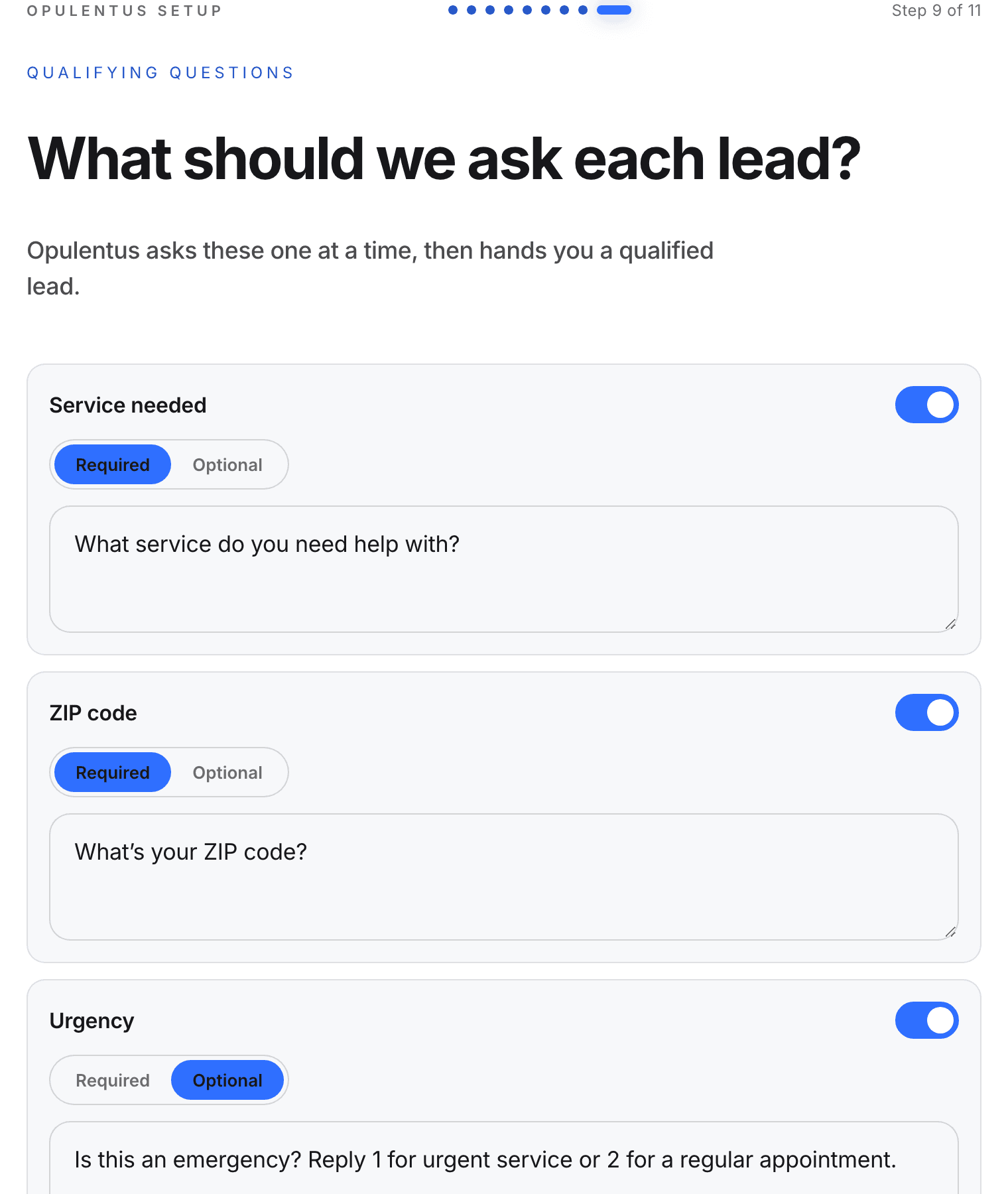
Once a caller replies, setup can ask up to six things, each one a slot you turn on or off and word yourself. Default wording:
Service
“What service do you need help with?”
ZIP code
“What’s your ZIP code?”
Urgency
“Is this an emergency? Reply 1 for urgent service or 2 for a regular appointment.” The only question the caller answers with a number; every other question is answered in their own words.
Description
“Can you briefly describe what’s going on?”
Photos
“If it helps, you can text a photo of the issue.”
Callback preference
“What’s the best number and time to reach you?”
The opt-out rule.
“Reply STOP to opt out.” is added to the first text of every conversation automatically; it isn’t repeated on every later message, including the follow-up above. Anyone who replies STOP stops getting texts, checked before every send. The full program terms — how a caller opts in, message frequency, rates and the HELP and STOP keywords — are in the SMS program and opt-in disclosure.
2 weeks free on every plan
Write your own version. Two weeks free.
Your card isn’t charged for the first 14 days, and you can cancel during the trial. Billing starts after, on the plan you choose. The 12-month plans are yearly agreements: no cancelling mid-term and no refunds.
Monthly
$169USD/mo after your free trial
Month-to-month. No long-term commitment.
Card required. Cancel during the 14-day trial and you won’t be charged. Billing starts on day 15 at $169/mo.
12-month, billed monthly
$139USD/mo after your free trial
12-month agreement, billed monthly.
Card required. Cancel during the 14-day trial and you won’t be charged. Billing starts on day 15 at $139/mo.
12-month, billed annually
$129USD/mo after your free trial
12-month agreement, billed annually at $1,548.
Card required. Cancel during the 14-day trial and you won’t be charged. Billing starts on day 15 at $1,548/yr.